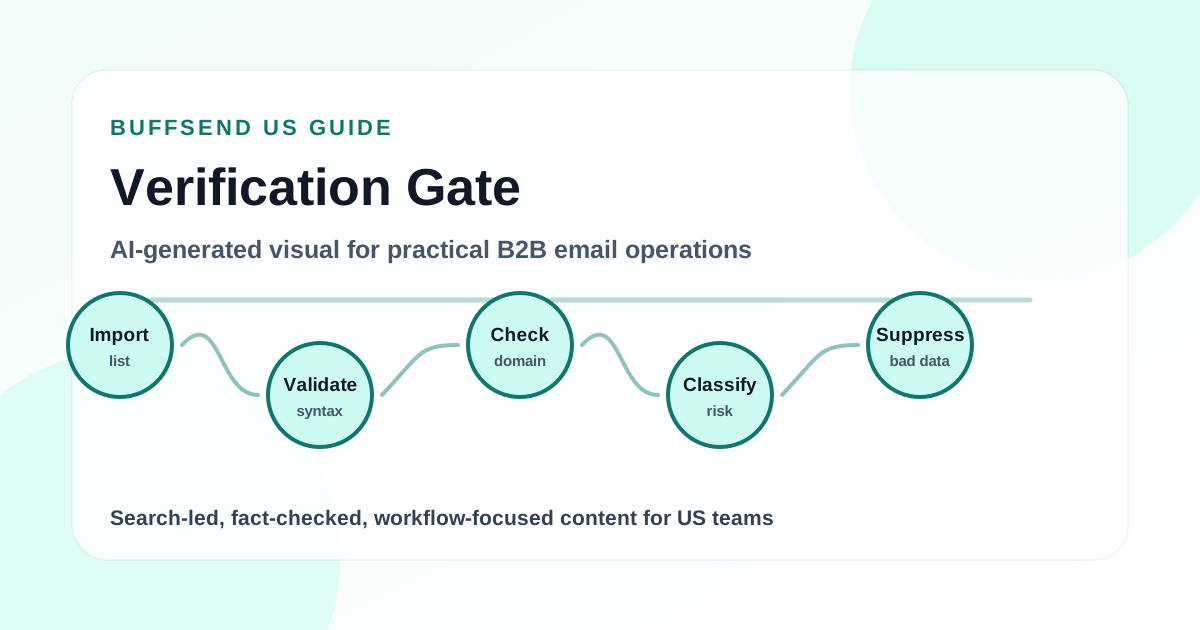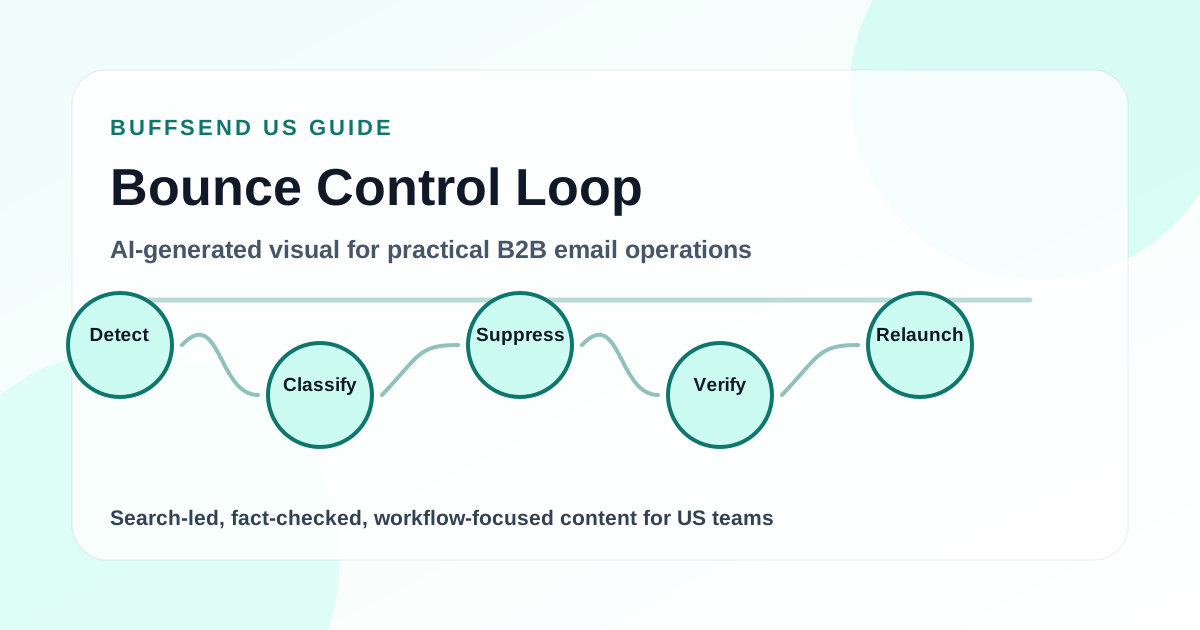
An email verifier is one of the simplest ways to protect your sender reputation before a campaign ever leaves your outbox. It helps you catch invalid addresses, stale contacts, typo domains, disposable inboxes, risky role accounts, and other records that can create hard bounces or weak engagement. Used well, verification is not just a cleanup task. It is a campaign launch gate.
This guide shows you how to use an email verifier before every campaign, how to interpret verification results, when to remove or quarantine contacts, and how to build a repeatable process that keeps email lists cleaner over time. It is written for cold outreach teams, newsletter operators, SaaS marketers, agencies, and founders who want more deliverability discipline without adding unnecessary complexity.
The quick answer: verify every new list before import, re-verify stale lists before reuse, suppress invalid and risky records, segment uncertain addresses separately, then monitor bounces and complaints after launch. A dedicated mailbox-verification provider plus BuffSend's list hygiene checker keeps that process close to campaign preparation instead of in a disconnected spreadsheet.

What Is an Email Verifier?
An email verifier checks whether an email address appears structurally valid, reachable, and safe enough to include in a campaign. Different verifiers use different signals, but most look at syntax, domain validity, MX records, mailbox responses, disposable domains, role accounts, known risky patterns, catch-all behavior, and recent deliverability history.
The goal is not to prove that a person will open, click, or reply. A verifier cannot know intent. The goal is to reduce preventable sending risk before the campaign starts. That distinction matters. Verification helps answer the question, "Can this address probably receive mail?" It does not answer, "Does this person want this message?"
Email Verification vs Email Validation
The terms are often used interchangeably, but there is a useful difference. Email validation usually means checking the format of an address, such as whether it includes an `@` symbol, a domain, and allowed characters. Email verification goes deeper by checking domain records, mail server behavior, deliverability risk, and whether the mailbox is likely to exist.
Validation catches obvious formatting mistakes
Validation can catch addresses like `sarah.company.com`, `tom@`, or `first last@example.com`. It is fast and useful, especially in forms and imports. But validation alone will not tell you whether `name@example-company.com` has a working mailbox.
Verification catches campaign-level delivery risk
Verification is more useful before sending because it looks beyond syntax. It can flag invalid domains, nonexistent mailboxes, disposable addresses, catch-all domains, spam-trap-like risk patterns, and temporary mailbox issues. That makes verification a stronger pre-send control.
What an Email Verifier Can and Cannot Do
A verifier can help reduce hard bounces and identify addresses that deserve caution. It can also improve operational discipline by making your team pause before importing a list into an active campaign. It cannot guarantee inbox placement, guarantee replies, replace consent, or make a poor-fit audience safe to contact.
Inbox providers still evaluate sender behavior, authentication, reputation, spam complaints, engagement, link patterns, unsubscribe behavior, and message relevance. Google's official email sender guidelines emphasize authentication, wanted mail, and good sending practices. Verification supports those habits, but it does not replace them.
Why Verify Before Every Campaign?
Lists decay. People change jobs, companies shut down, domains expire, inboxes fill up, disposable accounts disappear, and old CRM exports become unreliable. If your team sends to the same address list month after month without rechecking it, your bounce risk quietly increases.
Verification before every campaign gives you a consistent safety check. It prevents your team from treating old data as fresh data. It also makes campaign performance easier to understand because you are not mixing deliverability problems with messaging problems.
Reason 1: Lower Hard Bounce Risk
A hard bounce usually means the message could not be delivered for a permanent reason, such as an invalid address or nonexistent domain. Mailchimp's official bounce documentation explains the difference between hard and soft bounces and why bounce type matters. You can review Mailchimp's bounce guide for a clear breakdown.
Hard bounces are especially damaging in cold outreach because recipients may not know you yet. If your list is already creating negative delivery signals, your message relevance has less room to work.
Reason 2: Protect Sender Reputation
Sender reputation is built from many small signals. Bounces, spam complaints, low engagement, suspicious sending volume, missing authentication, and poor list quality can all work against you. Google Postmaster Tools can show data about outgoing email to personal Gmail accounts, including spam rate, reputation, authentication, and delivery errors when enough data is available. Google documents those dashboards in its Postmaster Tools dashboard guide.
Verification is not a reputation score, but it helps prevent one category of reputation damage: sending to contacts that should never have been mailed.
Reason 3: Make Campaign Metrics More Honest
If a campaign performs poorly, you need to know whether the problem was the offer, the audience, the copy, the sender, or the list. Dirty data makes this harder. A high bounce rate can distort delivery and reduce the number of recipients who ever saw your message. Verification makes performance analysis cleaner because you start with a more trustworthy audience file.
Reason 4: Avoid Paying to Send to Bad Records
Many platforms charge by contact count, send volume, or both. Sending to invalid addresses wastes budget and makes reporting less useful. Even when your platform does not charge heavily for sending, your sender reputation is still a scarce asset.
Verify Contacts Before You Send

The Pre-Campaign Email Verification Workflow
The best verification process is repeatable. Do not treat it as a one-off cleanup project. Make it part of the campaign launch checklist so every list passes through the same quality control steps.
Step 1: Collect the Final Campaign List
Start with the exact list you plan to send. Avoid verifying a draft list, then adding contacts later without checking them. Every new address introduced after verification becomes a new unknown.
Export only the contacts that match the campaign
Do not verify your entire CRM if the campaign is only going to a specific segment. Export the target audience: buyer role, region, industry, lifecycle stage, opt-in status, or account tier. A precise verification pass gives you cleaner decisions.
Keep source fields attached
Preserve fields like company, role, lead source, list source, import date, last engagement date, and owner. If verification finds problems, these fields help you identify where bad data is entering the system.
Step 2: Normalize the List Before Verification
Before running the verifier, standardize the file. Remove obvious duplicates, trim spaces, lowercase domains, separate first and last names, and make sure each email field contains only one address.
Fix spreadsheet problems first
Bad imports create false confusion. A single cell with multiple emails, a comma at the end of an address, or a name accidentally pasted into the email column can create avoidable errors. Clean the file structure before judging the list quality.
Keep suppressed contacts out
Remove unsubscribed contacts, hard bounces, do-not-contact records, and customers who should not receive this campaign before verification. Verification is not permission management. A deliverable address can still be off-limits.
Step 3: Run the Email Verifier
Use a dedicated verifier to check mailbox reachability, then run BuffSend's list hygiene checker for malformed addresses and duplicates before import. The point is to move verification close to the campaign process so it becomes a habit.
Verify before import when possible
If you can verify before importing contacts into your campaign tool, do it. It keeps bad records out of the platform and prevents accidental enrollment. If your workflow requires import first, use tags or quarantine lists so unverified contacts cannot be sent by mistake.
Save the verification date
Add a `verified_at` field or tag. Verification decays with time, so the date matters. A list verified yesterday is different from a list verified six months ago.
Step 4: Interpret the Results
Most verifiers return statuses such as valid, invalid, risky, catch-all, disposable, role-based, unknown, or temporary failure. The wording varies, but your campaign decisions should be consistent.
| Verifier Status | What It Usually Means | Recommended Campaign Action |
|---|---|---|
| Valid | The address appears deliverable and structurally sound. | Eligible for the campaign if permission, targeting, and relevance are acceptable. |
| Invalid | The address likely does not exist or cannot receive mail. | Suppress. Do not send. |
| Disposable | The address belongs to a temporary or throwaway inbox provider. | Suppress for most B2B and lifecycle campaigns. |
| Role-based | The address is a shared role inbox such as info@, sales@, admin@, or support@. | Use caution. Send only when the campaign is appropriate for a team inbox. |
| Catch-all | The domain accepts mail broadly, so mailbox existence is uncertain. | Segment separately. Send conservatively or require additional qualification. |
| Unknown | The verifier could not confidently determine deliverability. | Quarantine or test in a small, low-risk batch. |
| Temporary failure | The server may be unavailable, throttling, or returning a transient issue. | Retry later before deciding. |
Step 5: Segment Instead of Guessing
Do not treat every non-valid result the same. Some contacts should be suppressed immediately. Others should be quarantined, retried, or sent only in a small test group. Segmentation lets you protect the primary campaign while still preserving records that may become useful later.
Build three campaign-ready buckets
Create a clean bucket, a caution bucket, and a suppress bucket. The clean bucket contains valid, relevant contacts. The caution bucket contains catch-all, unknown, or role-based contacts that need a slower send plan. The suppress bucket contains invalid, disposable, unsubscribed, and hard-bounced contacts.
Do not mix risky records into the main launch
If you mix risky contacts into the main campaign, you will not know whether performance problems came from the audience, message, sender, or list quality. Keep risk visible.
Create a Cleaner Campaign Workflow

How to Use Verification Results in Real Campaigns
Verification is useful only if it changes your sending decisions. A report that nobody acts on is just another dashboard. The following rules give your team a practical operating model.
Valid Emails: Send Only If the Contact Fits
A valid email is not automatic permission to send. It only means the address appears technically reachable. You still need a relevant reason to contact the person, a compliant message, and a clear opt-out where required.
For U.S. commercial email, the FTC's official CAN-SPAM compliance guide explains requirements around accurate header information, non-deceptive subject lines, physical postal address, opt-out methods, and honoring opt-out requests. Verification does not replace any of those obligations.
Invalid Emails: Suppress Immediately
Invalid emails should not be sent. Keep them in a suppression list so they do not re-enter through a future import. If the contact is important, fix the address manually through another source rather than sending to the bad record.
Track where invalids came from
If one source produces a high invalid rate, investigate that source. The problem may be a vendor, a form, a scraping process, a stale CRM view, or a bad export format.
Catch-All Emails: Treat as Uncertain
Catch-all domains can accept messages for many addresses, even when a specific mailbox may not exist. That makes verification harder. Some catch-all addresses are perfectly good. Others produce low engagement or delayed bounces.
Send catch-all contacts in smaller batches
If you choose to send to catch-all contacts, send slowly and measure bounce and reply behavior separately. Do not let a large catch-all segment define the reputation of a new sender.
Role-Based Emails: Use Context
Role-based addresses such as `info@`, `sales@`, `support@`, `admin@`, and `hello@` are shared inboxes. They can be legitimate for some campaigns, especially small business outreach, partnerships, support communication, or general inquiries. They are weaker for personalized B2B sales campaigns where a specific buyer should receive the message.
Decide by campaign type
A role inbox may be acceptable for a local services announcement. It is usually a poor choice for an enterprise account executive trying to reach a VP of Revenue. Verification should trigger a relevance decision, not a blind rule.
Disposable Emails: Remove from Most Campaigns
Disposable addresses are often used for one-time access, trials, downloads, or anonymous signups. They rarely belong in serious lifecycle, sales, or customer campaigns. Remove them unless you have a specific reason to keep them.
Unknown Emails: Retry or Quarantine
Unknown does not always mean bad. It may mean the mail server blocked verification, timed out, or returned an ambiguous result. Retry later. If the status remains unknown, place the contact in a separate test group or require additional enrichment before sending.
When Should You Verify Email Addresses?
The safest teams verify at multiple points. You do not need to over-engineer it, but you should know when risk enters your system.
Verify on Lead Capture
If you collect emails through forms, verify at or soon after signup. This prevents obvious typos and disposable addresses from flowing into the CRM. For paid acquisition, this can save budget because you are not nurturing contacts that cannot receive mail.
Verify Before Importing a New List
Every purchased, partner, event, scraped, enriched, or manually built list should be verified before it touches an active campaign. Even trusted sources can contain stale or malformed addresses.
Verify Before Reusing an Old Segment
If a segment has not been mailed recently, verify it again. For cold outreach, a conservative rule is to re-verify if the list is older than 30 to 60 days. For customer or newsletter lists, use engagement history and bounce trends to decide.
Verify After CRM Migrations
Migrations can create duplicates, broken fields, merged records, outdated suppression status, and formatting problems. Run verification and list hygiene checks before launching from a newly migrated database.
Verify After a Bounce Spike
If a campaign produces more bounces than expected, pause and verify the remaining unsent contacts. Do not continue sending just because the campaign is already scheduled.

Verification Rules by List Source
Not every list source deserves the same level of trust. A recent product signup, a customer billing contact, an event badge scan, a scraped directory, and a three-year-old CRM export all carry different risk. The mistake many teams make is applying one blanket rule to every list: upload, verify, send. A better approach is to set verification rules based on where the data came from and how recently the contact engaged.
Use the source of the record as a quality signal. If a list comes from a form you control, and the person confirmed their address recently, the risk is lower. If a list comes from a third-party export, a manual research process, or an old event file, the risk is higher. Verification should become stricter as source confidence drops.
| List Source | Typical Risk | Verification Rule | Campaign Rule |
|---|---|---|---|
| Recent product signup | Low to medium | Validate on capture, verify if inactive or suspicious. | Send normally if consent and fit are clear. |
| Newsletter subscriber | Low if engaged, higher if inactive | Re-verify inactive segments before reactivation. | Segment by engagement before sending. |
| CRM export | Medium | Verify before campaign if older than 30 to 60 days. | Suppress invalids and review stale accounts. |
| Event list | Medium to high | Verify immediately and again if launch is delayed. | Reference the event context clearly. |
| Partner list | High unless permission is explicit | Verify, dedupe, and review compliance before import. | Use a careful introduction and clear opt-out. |
| Cold research list | High | Verify every batch before launch. | Send slowly and personalize by segment. |
| Purchased or scraped list | Very high | Verification alone is not enough; review legality, relevance, and platform policy. | Avoid unless you have a defensible compliance and relevance basis. |
Use a Source Score Before the Verifier
A simple source score keeps teams honest. Before verification, rate each list source from one to five. A recent double-opt-in product signup might be a five. A manually researched account list might be a three. A scraped file with no relationship context might be a one. This score does not replace verification, but it tells you how aggressive or cautious the post-verification campaign should be.
High source trust does not remove the need for monitoring
Even strong sources can decay. A customer list can contain old employees, aliases, and outdated billing contacts. A newsletter list can include people who stopped engaging years ago. Keep monitoring bounces and engagement after sending, even when the list source is trustworthy.
Low source trust should slow the campaign down
If the source score is low, do not launch a full campaign just because many addresses verify as valid. Start with a small batch, watch replies and complaints, and make sure the message explains why the recipient is being contacted. Valid addresses from a poor-fit source can still produce poor deliverability signals.
What to Track After Verification
The verification report is only the first data point. After the campaign runs, compare the verifier's pre-send prediction with actual sending outcomes. This helps you decide whether your verification thresholds are strict enough, whether a list source is worth using again, and whether risky categories should be excluded more often.
Track Invalid Rate by Source
Invalid rate shows how much bad data a source is sending into your workflow. If one source consistently produces a high invalid rate, stop treating it as a campaign source until the quality problem is fixed. For example, if one enrichment vendor produces twice the invalid rate of manually researched contacts, that vendor should not feed campaigns without stricter controls.
Track Bounce Rate After the Send
Verification should reduce bounces, but it will not eliminate every bounce. Mail servers can reject messages for reasons that were not visible during verification. Track the final bounce rate after each campaign and compare it with the verifier statuses. If a "valid" source still bounces heavily, investigate domain patterns, source quality, and whether the list aged between verification and launch.
Track Reply and Conversion Quality
A verified list can still be a bad audience. If deliverability looks clean but replies are weak, the problem may be targeting or message relevance. Track positive replies, qualified meetings, trial starts, purchases, or whichever conversion matters for the campaign. Verification protects the send; it does not create demand by itself.
Track Suppression Re-Entry
Suppressed contacts should not keep returning through new imports. If the same invalid or unsubscribed addresses repeatedly reappear, you have a system problem. The fix may be better CRM deduplication, stricter import rules, source-level suppression, or a blocked upload workflow for known bad records.
Build a verification feedback loop
After every campaign, record three numbers: pre-send invalid rate, post-send bounce rate, and positive response rate. Over time, those numbers show which sources and segments deserve more budget, which need review, and which should be retired. This feedback loop turns email verification from a one-time hygiene task into a real campaign quality system.
Turn Verification Into a Repeatable Workflow
A Practical Pre-Send Checklist
Use this checklist before every campaign. It is intentionally practical. The goal is to create a repeatable launch habit, not a theoretical deliverability audit that nobody follows.
List Quality Checklist
- Remove duplicates and malformed addresses.
- Suppress unsubscribed, bounced, and do-not-contact records.
- Verify the exact send list.
- Suppress invalid and disposable addresses.
- Segment catch-all, unknown, and role-based contacts separately.
- Save the verification date and source.
- Review invalid rates by list source.
Sender Health Checklist
- Confirm SPF, DKIM, and DMARC are configured.
- Use a sender identity that matches the campaign type.
- Start with reasonable daily volume.
- Keep cold outreach separate from critical transactional email.
- Monitor bounces and complaints after launch.
Campaign Relevance Checklist
- Confirm every recipient fits the audience definition.
- Make the first sentence specific to the segment.
- Use a subject line that accurately reflects the message.
- Include a simple next step.
- Include clear opt-out handling where required.
Build Your Pre-Send Checklist in BuffSend
How Verification Improves Deliverability
Email deliverability is not one lever. It is the combined result of sender authentication, list quality, recipient engagement, complaint rates, sending volume, infrastructure, content, and domain history. Verification helps with the list quality portion, which can influence the rest of the system.
Verification Reduces Preventable Bounces
Reducing invalid addresses reduces avoidable hard bounces. That keeps your early campaign signals cleaner and gives mailbox providers fewer reasons to distrust the sender.
Verification Helps You Ramp More Safely
If you are increasing volume, a verified list gives you a stronger foundation. You still need gradual sending, relevant content, and reply-positive campaigns, but you are less likely to trigger immediate bounce problems.
Verification Makes Suppression More Reliable
Suppression is a long-term asset. Every invalid address you suppress today protects future campaigns from repeating the same mistake. That matters for agencies and teams importing lists from many sources.
Verification Supports Better Segmentation
Verification labels can become segmentation fields. For example, you can exclude disposable addresses from onboarding, send catch-all contacts in small batches, or flag role-based contacts for manual review.
Common Mistakes When Using an Email Verifier
Mistake 1: Verifying Once and Forgetting the Date
A verified list is not verified forever. Always store the verification date. If the date is old, treat the record as stale.
Mistake 2: Sending to Every Risky Status
Some teams verify a list and then send to every address anyway. That defeats the purpose. If verification does not change your send list, it is not part of your quality process.
Mistake 3: Confusing Verification With Consent
A valid email address is not permission. Verification tells you about deliverability risk. Consent and compliance depend on how the address was collected, what you are sending, where the recipient is located, and what laws and platform rules apply.
Mistake 4: Ignoring Role-Based Addresses
Role addresses are not always bad, but they should be intentional. Sending personalized outreach to `info@company.com` usually produces weaker signals than reaching the right person.
Mistake 5: Not Investigating Bad Sources
If a source produces many invalid, disposable, or risky addresses, fix the source. Otherwise, you will keep paying to verify the same quality problem.

How BuffSend Fits Into the Verification Workflow
BuffSend is designed around campaign operations: sender connections, contacts, campaigns, analytics, verification, and deliverability utilities. That makes it useful when you want verification to become part of the send workflow instead of a separate spreadsheet task.
Use the Email Verifier Before Importing or Launching
Use a dedicated mailbox-verification provider for reachability checks and BuffSend's list hygiene checker before sending. If an address looks risky, decide before launch rather than after a bounce.
Pair Verification With DNS and Content Checks
Verification is one layer. BuffSend also includes tools for SPF, DKIM, DMARC, spam-word analysis, subject testing, preview simulation, list hygiene, and send-time planning. Use these together before launch so the campaign has fewer avoidable problems.
Measure What Happens After Sending
After launch, watch bounces, replies, clicks, unsubscribes, and any complaint signals available from your sending tools. Verification should reduce bad-address risk, but actual campaign data tells you whether your audience and message are working.
Example: A 10,000 Contact Campaign
Imagine a B2B SaaS team preparing to send a product webinar invitation to 10,000 contacts collected from events, CRM history, outbound research, and newsletter signups. Without verification, the team might import the full file and schedule the campaign. That is risky because each source has different quality.
Before Verification
- 10,000 total contacts
- Multiple sources mixed together
- No current verification date
- Unknown number of role and catch-all addresses
- Old event contacts mixed with recent signups
After Verification
- 8,420 valid contacts approved for the main campaign
- 620 invalid contacts suppressed
- 180 disposable contacts removed
- 510 catch-all contacts placed in a slower test segment
- 270 role-based contacts routed to manual review
The Better Send Plan
The team sends the main campaign only to the valid segment, tests catch-all contacts in smaller batches, and reviews role-based addresses separately. Now the campaign report is more meaningful. If replies are low, the team can look at offer, audience, or copy. It does not have to first untangle a bounce problem caused by obvious bad data.
FAQ: Using an Email Verifier Before Campaigns
Should I verify emails before every campaign?
Yes, if the list is new, stale, imported from another system, or built from mixed sources. For recently engaged subscribers, you may not need full verification every time, but you should still monitor bounces and re-verify inactive or old segments.
Does email verification guarantee deliverability?
No. Verification reduces invalid-address risk, but deliverability also depends on authentication, sender reputation, content, recipient engagement, complaint rates, sending volume, and compliance.
What should I do with catch-all emails?
Segment them separately. Some catch-all emails are valid, but uncertainty is higher. Send slowly, watch bounce and reply behavior, and avoid mixing a large catch-all group into a new sender's main launch.
Are role-based emails bad?
Not always. Role-based emails can be legitimate for some campaigns, but they are weaker for personalized outreach. Decide based on campaign context and route them to review when relevance is unclear.
How often should I re-verify a list?
For cold outreach, re-verify lists that are older than 30 to 60 days. For newsletter or customer lists, use engagement history, bounce trends, and inactivity to decide when to re-check.
Can email verification remove spam traps?
Some verifiers may flag known risky patterns, but no tool can guarantee that every spam trap is detected. Avoiding spam traps depends heavily on ethical list collection, permission practices, source quality, and suppression discipline.
What is the difference between a hard bounce and a soft bounce?
A hard bounce usually indicates a permanent delivery failure, while a soft bounce is usually temporary, such as a full inbox or transient server issue. Treat hard bounces as suppression candidates and monitor repeated soft bounces carefully.

Final Recommendation
Use an email verifier before every important campaign. Verify new lists before import, re-verify stale segments before reuse, suppress invalid and disposable addresses, separate risky statuses, and keep the verification date attached to each record. Then pair verification with authentication checks, clear opt-out handling, relevant messaging, and post-send monitoring.
The healthiest email programs do not wait for bounce reports to expose bad data. They build verification into the workflow. That is how you protect sender reputation, keep campaign metrics cleaner, and give every send a better chance to reach real people.