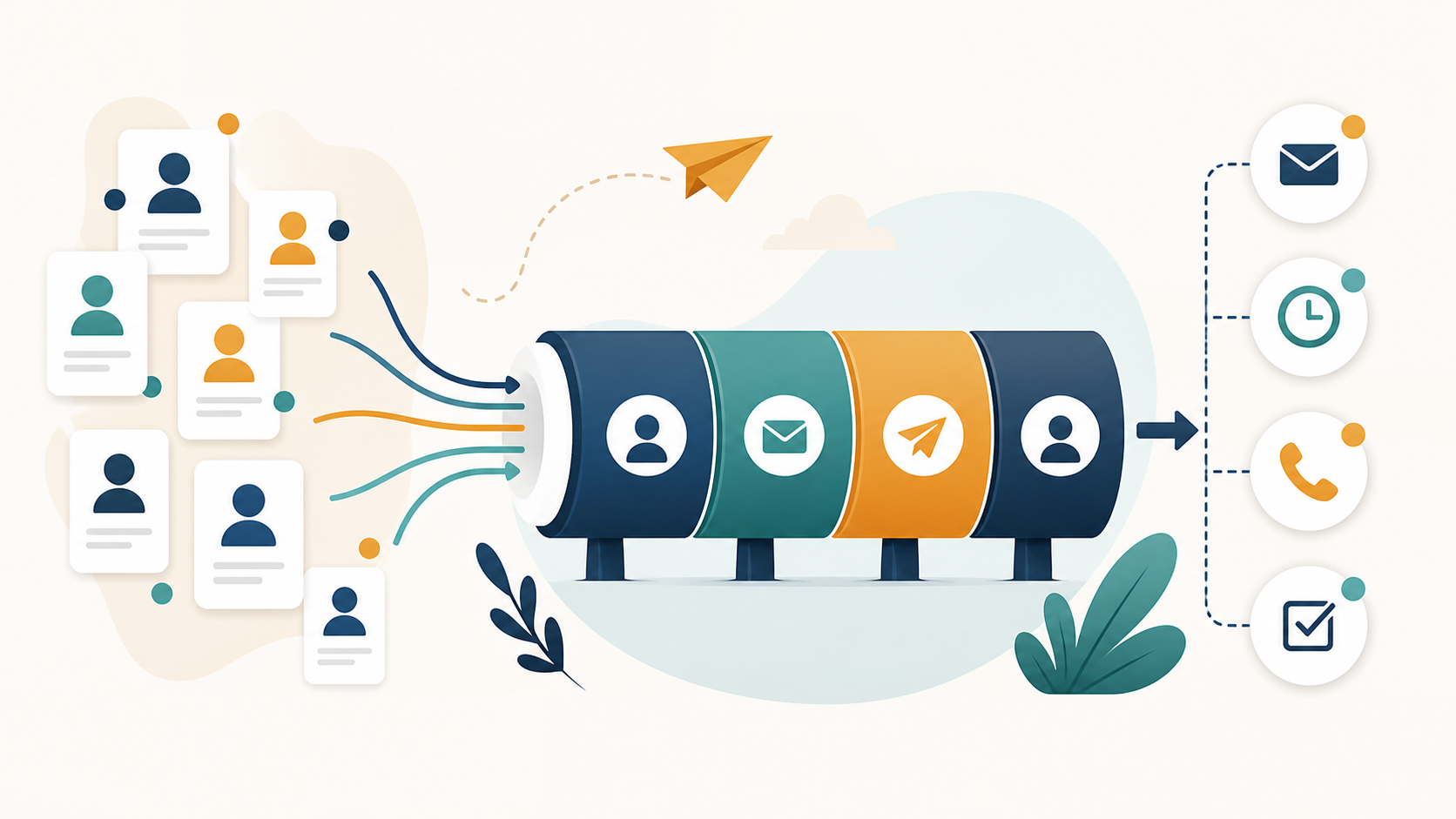
The best email marketing tools for small sales teams are not always the biggest platforms. A three-person sales team needs fast list cleanup, simple outbound sequences, safe sending limits, reply tracking, clear reporting, and enough CRM context to avoid duplicate follow-ups. It usually does not need a heavy enterprise sales engagement rollout, a complex marketing automation suite, or a tool stack that costs more time than it saves.
This guide compares practical email marketing and sales outreach tools for small sales teams in 2026. It focuses on teams that need to prospect, follow up, manage replies, protect deliverability, and turn email into pipeline without building a full RevOps department. Pricing and plan details change often, so use this guide as a buying framework and confirm final pricing on each vendor's official page before purchasing.
The short version: choose a tool based on your sales motion. If you need a lightweight deliverability-first workflow, start with BuffSend. If CRM is the center of your process, compare HubSpot or Close. If you need built-in B2B data, Apollo is worth evaluating. If you only need cold email sequencing, look at Mailshake, Saleshandy, Woodpecker, Smartlead, lemlist, or Reply.io based on volume, personalization, and multichannel needs.
For most small teams, the winning stack is not the one that sends the most email. It is the one that makes every campaign easier to check, explain, and improve.

Quick Picks: Best Tools by Use Case
If you are choosing quickly, start with the problem you need to solve this month. A tool that is perfect for lead data may be too heavy for campaign QA. A tool that is great for cold email volume may be weak as a CRM. Small teams should buy for the workflow they actually run.
| Use Case | Best Fit | Why It Works |
|---|---|---|
| Deliverability-first sales email | BuffSend | Useful when the team wants campaign checks, verification, content risk review, and simple email operations in one workflow. |
| CRM-native sales teams | HubSpot Sales Hub | Good fit when deals, contacts, sequences, reporting, and sales activity should live in one CRM. |
| Prospecting plus outreach | Apollo | Strong for teams that want B2B contact data and sales engagement in the same platform. |
| Simple cold email sequences | Mailshake or Woodpecker | Good for small teams that want straightforward outbound without a heavy CRM migration. |
| High-volume mailbox operations | Smartlead or Saleshandy | Better when inbox rotation, mailbox management, and send capacity are central buying criteria. |
| Personalized multichannel outreach | lemlist or Reply.io | Useful when email, LinkedIn, calls, tasks, and richer personalization all matter. |
| Calling plus email CRM | Close | Best for teams that sell through a mix of email, calls, SMS, tasks, and pipeline follow-up. |
What Small Sales Teams Actually Need
A small sales team usually has two constraints: limited time and limited margin for mistakes. If a tool requires complex setup, unclear pricing, constant admin work, or manual deliverability checks, it may slow the team down even if the feature list looks impressive.
Reliable Sending and Deliverability Checks
Outbound email only works if messages can be accepted, authenticated, and wanted enough to avoid complaints. Google's email sender guidelines and Yahoo's sender best practices both point teams toward authentication, low spam complaints, list quality, and easy unsubscribe handling.
What to look for
Look for SPF, DKIM, and DMARC visibility, bounce monitoring, unsubscribe handling, reply classification, inbox rotation controls, and conservative send limits. A tool that helps you send more without helping you send safely can create expensive reputation problems.
Simple Sequence Building
Small teams need a sequence builder that is easy enough for reps to use without constant RevOps support. The sequence should pause on replies, avoid duplicate touches, support personalization fields, and make follow-up timing visible.
What to look for
Choose a builder with clear steps, reply detection, stop conditions, A/B tests, task steps, and a unified inbox. Avoid tools where reps can accidentally keep emailing someone after a reply, unsubscribe, or booked meeting.
List Hygiene Before Sending
Bad data hurts small teams faster because every bounce is a larger share of the sender's history. Verify addresses, remove role accounts when appropriate, suppress prior bounces, and segment stale contacts before the first campaign goes out.
What to look for
Built-in verification is helpful, but independent checking is still useful before important campaigns. The team should know which contacts are valid, risky, disposable, catch-all, role-based, or suppressed before the sequence starts.

How We Evaluated the Tools
This comparison uses small-team buying criteria rather than enterprise procurement criteria. A platform can be powerful and still be a poor fit for a small sales team if it requires too much setup, too many add-ons, or too much administrative overhead.
Core Criteria
- Ease of setup for a team without a dedicated RevOps admin.
- Sequence quality, reply handling, and stop conditions.
- Deliverability support, authentication checks, and safe sending controls.
- List quality tools or integrations with verification workflows.
- CRM fit and pipeline visibility.
- Transparent pricing and predictable scaling costs.
- Reporting that helps managers improve targeting, not just send more email.
What We Did Not Reward
We did not reward tools simply for having the longest feature list, the most aggressive warmup claims, or the highest sending limits. Small teams need durable outbound systems. More volume is useful only when targeting, data quality, and deliverability discipline are already healthy.
Important note on pricing
Prices, included seats, email limits, data credits, and add-ons change regularly. The comparisons below reference current public positioning and plan structures checked on May 15, 2026, but the safest buying step is to confirm each vendor's official pricing page before signing a contract.
How to Choose Based on Your Sales Motion
The fastest way to choose the wrong tool is to ask, "Which platform has the most features?" The better question is, "What kind of selling are we actually doing?" A small team selling high-ticket B2B deals needs a different workflow from a product-led team following up with trial users or a founder sending fifty highly researched emails per week.
If You Sell Through Cold Outbound
Cold outbound teams should prioritize deliverability, list quality, sequence control, and reply handling. Built-in databases are useful, but they are not enough. The team needs to verify contacts, suppress bad data, keep per-inbox volume conservative, and write messages that are specific enough to justify the interruption.
Recommended direction
Use BuffSend as the campaign quality gate, then pair it with a focused sequencer such as Mailshake, Woodpecker, Saleshandy, Smartlead, lemlist, or Reply.io depending on volume and channel mix. If you need contact data, add Apollo or another verified data source.
If You Sell Through Inbound Leads
Inbound-led sales teams usually need CRM context more than cold email scale. A rep should see what the person downloaded, which page they visited, what company they belong to, who owns the deal, and which follow-up step comes next. The email tool should support speed-to-lead without blasting everyone the same message.
Recommended direction
HubSpot is often the cleanest fit for inbound and sales-assisted motions because contact history, forms, meetings, pipeline, and sequences can live together. Close is a better fit when calls and SMS are as important as email. BuffSend still helps as a campaign QA layer before larger outbound or reactivation sends.
If You Sell Through Founder-Led Relationship Building
Founder-led sales often works best with lower volume and higher relevance. The founder needs help staying consistent, not a machine that turns every contact into a generic sequence. The best tool should make it easy to research, personalize, follow up, and stop when someone is not interested.
Recommended direction
Start simple. Use BuffSend for verification and copy checks, a lightweight sequencer for reminders, and a CRM only if deals are slipping through the cracks. Do not buy a heavy sales engagement suite before the founder has a repeatable message and a clear ICP.
If You Sell Through Existing Customers
Account expansion, renewals, upsells, and customer education need more care than cold prospecting. These contacts already know the company, so irrelevant or overly automated email can damage a relationship. The platform should support segmentation, account ownership, suppression, and clear handoff between sales and customer success.
Recommended direction
Use a CRM-led workflow, usually HubSpot, Close, Pipedrive, or another system of record. Use BuffSend to check larger customer email batches before sending. Keep customer lifecycle email separate from cold acquisition mail whenever possible.
Feature Checklist: What Matters More Than Hype
Most sales email tools advertise AI writing, warmup, enrichment, and automation. Those features can help, but they do not matter equally. Small teams should evaluate the features that prevent daily operational mistakes first.
Reply Management
A unified inbox is not just a convenience. It prevents reps from missing buying signals, sending follow-ups after a prospect replies, or letting unsubscribe requests sit unprocessed. Reply management should be one of the first features you test during a trial.
Trial test
Send a small internal test sequence, reply from several addresses, unsubscribe from one, and book a meeting from another. Confirm exactly how the tool handles each event.
Stop Conditions
Good email tools stop sequences when the prospect replies, opts out, books a meeting, hard bounces, or reaches a defined goal. Bad stop conditions create awkward follow-ups and compliance risk. This matters more than fancy templates.
Trial test
Ask the vendor to show every automatic stop condition and every manual suppression option. If the team cannot explain it, reps probably will not use it correctly.
Data Controls
Small teams need to know where leads came from, when they were verified, who owns them, which campaign touched them, and why they were suppressed. Without source fields, managers cannot tell whether poor results come from bad copy or bad data.
Trial test
Import a sample list with source, segment, owner, company size, country, and last verification date. Confirm the tool preserves those fields and lets you filter reports by them.
Deliverability Visibility
Every tool says it cares about deliverability. The question is whether it shows useful signals: bounces by type, sender health, authentication status, domain issues, reply trends, unsubscribe trends, and send volume by inbox.
Trial test
Look for the dashboard you would check every morning. If it only shows opens and clicks, it is not enough for cold or sales email.
Practical AI
AI can help draft subject lines, summarize accounts, suggest personalization, and rewrite unclear copy. It should not replace strategy. A tool that creates more generic email faster can make deliverability worse if the team does not review targeting and relevance.
Trial test
Give the AI a weak lead record and a strong lead record. If both outputs sound similar, the tool is not adding much value. AI should sharpen context, not flatten it.
Test a Sales Email Subject Line
1. BuffSend: Best for Deliverability-First Small Sales Teams
BuffSend is the best fit for small sales teams that want a practical email workflow around safer campaigns: verifying contacts, checking spam risk, testing subject lines, reviewing authentication, and keeping outbound focused on deliverability instead of raw send volume.
Why It Works for Small Teams
Small teams often do not fail because they picked the wrong sequencer. They fail because they send to weak lists, skip authentication checks, write risky copy, and scale too quickly. BuffSend helps the team catch those issues before they become inbox placement problems.
Best for
Founders, SDR teams, agencies, and lean sales teams that need campaign checks, list hygiene, subject testing, spam risk review, and practical email operations without buying a large enterprise stack.
Useful BuffSend Workflows
- Verify contacts before importing them into a sales sequence.
- Check SPF, DKIM, and DMARC before using a new domain.
- Scan email copy for spam-risk language.
- Test subject lines before launching a campaign.
- Build a repeatable campaign QA checklist for every send.
Where It Fits in the Stack
BuffSend can sit before or beside a CRM and sequencing tool. Use it as the quality gate for campaigns, then send through the platform that matches your CRM, prospecting, or sales engagement workflow.
2. HubSpot Sales Hub: Best CRM-First Sales Email Platform
HubSpot Sales Hub is a strong fit when a small team wants CRM, email tracking, templates, meetings, tasks, automation, pipeline reporting, and sales sequences in one system. HubSpot is especially useful when marketing and sales need shared contact history.
Why It Works for Small Teams
HubSpot reduces tool sprawl. Reps can work from contact records, log activity, use templates, schedule follow-ups, and connect outreach to deals. For teams graduating from spreadsheets, that centralization matters.
Watch the plan boundary
HubSpot's more useful sales automation and sequence features tend to sit above the lightest tiers. Small teams should confirm which plan includes the sequence, automation, reporting, and seat features they actually need before buying.
Choose HubSpot If
Choose HubSpot if your team wants a CRM-first workflow, inbound and outbound contacts in the same database, clean pipeline reporting, and a platform that can grow beyond email-only outreach.
3. Apollo: Best for Prospecting Data Plus Outreach
Apollo combines B2B contact data, account search, signals, sequencing, AI-assisted messaging, dialer workflows, and CRM integrations. For small teams that do not already have a reliable data source, Apollo can reduce the number of separate tools needed to build lists and start outreach.
Why It Works for Small Teams
Apollo's main advantage is consolidation. Instead of buying one tool for data and another for sequencing, a small team can search accounts, find contacts, add them to sequences, and push activity back to the CRM.
Watch data quality and credit limits
Any database can contain stale or risky addresses. Verify important lists before sending, and understand how credits, exports, mobile numbers, enrichment, and email sends are counted on your chosen Apollo plan.
Choose Apollo If
Choose Apollo if the team needs both prospecting data and outreach workflows, and if reps are disciplined enough to filter tightly rather than blasting broad database exports.
4. Mailshake: Best for Straightforward Cold Email Outreach
Mailshake is built for email outreach, sequences, A/B testing, data finder add-ons, warmup, and simple sales engagement. Its published plans position it as a practical option for teams starting or scaling an outbound email program without adopting a full CRM suite.
Why It Works for Small Teams
Mailshake is easy to understand: connect mailboxes, build campaigns, manage replies, test copy, and run outbound. That clarity is valuable for a small sales team that wants to get moving without a complicated implementation.
Watch mailbox and channel needs
Check how many sending addresses, inbox features, phone features, and data credits are included in the plan you choose. If you need heavy multichannel automation, compare Mailshake with lemlist, Reply.io, or HubSpot before deciding.
Choose Mailshake If
Choose Mailshake if email outreach is the core workflow and your team values a focused, practical tool over a broad sales platform.
5. lemlist: Best for Personalized Multichannel Outreach
lemlist is a good option for teams that want personalization, cold email sequences, deliverability features, enrichment, and multichannel outreach across email, LinkedIn, calls, and tasks. Its official plan pages position Email Pro for cold email and Multichannel Expert for teams that need broader channel coverage.
Why It Works for Small Teams
lemlist is useful when quality matters more than raw volume. Small teams can build more thoughtful campaigns, personalize assets, and coordinate touches beyond email when a single cold email is not enough.
Watch per-user economics
Per-user pricing can climb as teams grow. Confirm sender limits, enrichment credits, LinkedIn features, and add-ons before standardizing the whole team on lemlist.
Choose lemlist If
Choose lemlist if your sales motion depends on personalized outreach and multichannel follow-up rather than basic email blasting.

6. Saleshandy: Best Budget-Friendly High-Volume Email Option
Saleshandy positions itself as a cold email and outreach platform with unlimited email accounts on published plans, AI-powered sequences, sender rotation, warmup, and high monthly email limits. It is worth evaluating when cost predictability and mailbox scale matter.
Why It Works for Small Teams
Saleshandy can be attractive for small teams that want more sending capacity without per-seat costs getting out of hand. It also includes lead discovery and deliverability-oriented features that may reduce the need for separate point tools.
Watch the volume temptation
High sending limits do not mean the team should send aggressively. Keep per-inbox volume conservative, verify lists, and scale only after replies, bounces, unsubscribes, and complaints stay healthy.
Choose Saleshandy If
Choose Saleshandy if your team needs cost-effective outbound email capacity, multiple connected accounts, and simple campaign execution without buying an enterprise platform.
7. Smartlead: Best for Mailbox Scaling and Infrastructure Control
Smartlead is built for teams that need to manage many mailboxes, rotate senders, monitor deliverability, and run cold outreach at higher scale. Its public pricing and product pages emphasize unlimited email accounts on plans, sender infrastructure, verification, and outbound automation.
Why It Works for Small Teams
Smartlead becomes relevant when a small team has outgrown one or two inboxes and needs operational control over sending accounts. It can help centralize mailbox management that would otherwise become messy.
Watch warmup claims carefully
Use warmup features as setup support, not as a substitute for real audience quality. Avoid relying on artificial engagement as proof that real prospects want your mail. The safer path is authenticated sending, verified lists, conservative volume, and real reply quality.
Choose Smartlead If
Choose Smartlead if your team is already committed to cold email operations and needs mailbox scale, sender rotation, and infrastructure management.
8. Woodpecker: Best Simple Cold Email Tool With Verification Focus
Woodpecker is a focused cold email platform with campaigns, follow-ups, warmup add-ons, integrations, and built-in verification positioning. It is useful for small teams that want a simple cold outreach workflow rather than a broad CRM or data platform.
Why It Works for Small Teams
Woodpecker keeps the workflow clear: connect a mailbox, create a campaign, send controlled follow-ups, and manage replies. That simplicity helps teams that want to run outbound without rebuilding their entire sales process.
Watch add-ons
Review add-ons for warmup, LinkedIn outreach, integrations, domains, email addresses, and agency features. The final cost depends on how much infrastructure you expect the platform to handle.
Choose Woodpecker If
Choose Woodpecker if your team wants a straightforward cold email tool with a lower operational learning curve.
9. Close: Best for Email, Calling, SMS, and CRM in One Place
Close is a sales CRM with built-in email, calling, SMS, centralized inboxes, task lists, workflows, and AI features. It is a strong option when email is only one part of a high-touch sales motion.
Why It Works for Small Teams
Small teams often lose context when calls, emails, texts, and deals live in separate systems. Close gives reps one place to work leads and follow up across channels.
Watch fit for marketing-style campaigns
Close is more sales CRM than newsletter marketing platform. If your primary need is large opted-in marketing newsletters, compare dedicated marketing email tools separately.
Choose Close If
Choose Close if reps work through calls and emails together, managers need pipeline visibility, and the team wants a sales CRM that supports outbound activity.
10. Reply.io: Best for Structured Multichannel Sales Engagement
Reply.io offers email automation, LinkedIn tasks and automation, calls, SMS, WhatsApp tasks, meeting scheduling, a centralized inbox, AI assistance, and sales engagement workflows. It is better for teams that want a structured cadence engine than a simple email-only tool.
Why It Works for Small Teams
Reply.io can help small teams standardize multichannel outreach without manually tracking every touch. It is useful when the sales process includes email, LinkedIn, phone, and manual tasks.
Watch plan complexity
Review active contact limits, mailbox rules, channel add-ons, data credits, and automation features. A team that only sends simple email sequences may not need the full multichannel stack.
Choose Reply.io If
Choose Reply.io if your team needs a true sales engagement cadence across multiple channels and has enough process discipline to use it well.
Compare Your Stack Against BuffSend
Comparison Table for Small Sales Teams
This table summarizes the practical buying differences. It is intentionally opinionated for small teams rather than enterprise procurement teams.
| Tool | Best For | Strength | Potential Tradeoff |
|---|---|---|---|
| BuffSend | Deliverability-first campaign operations. | Verification, spam checks, authentication checks, campaign QA. | Use with a CRM or sequencer if you need deep pipeline management. |
| HubSpot | CRM-first sales teams. | CRM, pipeline, templates, sequences, meetings, reporting. | Advanced sequence features may require higher tiers. |
| Apollo | Data plus outreach. | Prospecting database and engagement workflows in one place. | Credits and data quality need active management. |
| Mailshake | Focused cold email. | Simple sequences, A/B testing, reply handling. | Less CRM-native than HubSpot or Close. |
| lemlist | Personalized multichannel outreach. | Personalization, LinkedIn/call workflows, deliverability features. | Per-user pricing can climb as headcount grows. |
| Saleshandy | Budget-conscious outbound volume. | Mailbox scale, sender rotation, high plan limits. | Volume discipline is still the team's responsibility. |
| Smartlead | Mailbox operations at scale. | Infrastructure, inbox rotation, sender management. | May be more operational than a very small team needs. |
| Woodpecker | Simple cold email workflows. | Focused campaigns and follow-ups. | Add-ons can matter depending on setup. |
| Close | Sales teams using email, phone, and SMS. | CRM plus communication workflow. | Not a pure email marketing platform. |
| Reply.io | Structured multichannel sequences. | Email, LinkedIn, calls, SMS, tasks, AI assistance. | Can be more than an email-only team needs. |
Deliverability Gate Before Choosing Any Tool
Before buying software, make sure your domain can safely send. The best email marketing tool cannot rescue a sender with broken authentication, stale lists, or misleading content. Use these checks before your first campaign and before every major ramp-up.
Check SPF
Check DMARC
Clean a Sample List
Use the list hygiene checker to catch malformed addresses and duplicates before importing prospects into a sequencer.

Best Stack Examples
The right stack may be one tool or a small combination. Avoid buying overlapping platforms before the team has a clear workflow.
Founder-Led Sales Stack
Use BuffSend for verification and campaign checks, then send through a lightweight sequencer such as Mailshake, Woodpecker, or Saleshandy. Track deals in HubSpot, Pipedrive, or Close depending on how much CRM process you need.
Why it works
The founder gets clean data, simple sequences, and enough CRM structure without overbuilding the stack before there is repeatable pipeline.
Two to Five Rep SDR Stack
Use Apollo for prospecting, BuffSend for pre-send checks, and HubSpot or Close for CRM and pipeline management. If outbound volume grows, evaluate a dedicated sending tool such as Smartlead, Saleshandy, or Mailshake.
Why it works
The team separates data, quality control, and sales execution while keeping each tool accountable for a clear job.
Agency or Multi-Client Stack
Use BuffSend for QA, verification, and deliverability checks across clients. Use Smartlead, Saleshandy, or Reply.io when mailbox scale, client separation, and repeatable campaign operations become central.
Why it works
Agencies need governance. A stack that tracks domains, lists, copy, and client-specific sending rules reduces the risk of mixing audiences or damaging a client's sender reputation.
Buying Checklist for Small Sales Teams
Use this checklist before signing up for any email marketing or sales outreach platform.
Workflow Fit
- Can reps build and edit sequences without admin help?
- Does the tool pause when someone replies, unsubscribes, or books a meeting?
- Does it support the channels the team actually uses?
- Can managers see replies, outcomes, and risky campaigns quickly?
Deliverability Fit
- Can you verify SPF, DKIM, and DMARC before sending?
- Does the platform support conservative send limits?
- Can it suppress bounces, unsubscribes, and do-not-contact records?
- Does it make bounce and complaint issues easy to spot?
Pricing Fit
- Does pricing scale by seat, contact, email send, mailbox, or credit?
- Are data credits, email verification, warmup, LinkedIn, phone, or SMS add-ons separate?
- Can you start small without a long contract?
- Will the cost still make sense when the team doubles?
Build Your Sales Email Workflow in BuffSend

FAQ: Email Marketing Tools for Small Sales Teams
What is the best email marketing tool for a small sales team?
The best tool depends on the team's workflow. BuffSend is strong for deliverability-first campaign checks. HubSpot is strong for CRM-first sales teams. Apollo is useful when contact data and outreach should live together. Mailshake, Woodpecker, Saleshandy, Smartlead, lemlist, and Reply.io are stronger when outbound sequencing is the main workflow.
Should a small sales team use a marketing email platform or a sales engagement tool?
Use a marketing email platform for opted-in newsletters, lifecycle campaigns, and broad customer communication. Use a sales engagement tool for one-to-one or one-to-few prospecting sequences, reply handling, and rep workflows. Many sales teams need a sales engagement tool more than a newsletter platform.
Can Mailchimp or Brevo work for sales outreach?
They can work for permission-based email marketing, but cold sales outreach has different needs: mailbox connection, rep-level replies, sequence pausing, prospect-level context, and strict suppression. Check each platform's acceptable use rules before sending cold outreach.
What should a small sales team check before sending cold email?
Check SPF, DKIM, DMARC, list quality, suppression lists, bounce risk, spam-risk wording, subject line accuracy, unsubscribe handling, and daily send volume. Also confirm that the message is relevant enough for the recipient.
Is built-in email warmup enough?
No. Warmup features can support setup, but they do not replace real relevance, clean lists, authentication, and conservative volume. Avoid treating artificial engagement as proof that prospects want your email.
How many tools should a small sales team use?
Use as few as possible while covering the essentials: data, verification, sending, reply management, CRM, and reporting. For many teams, two or three well-chosen tools beat a large stack of overlapping software.
What is the biggest mistake when buying sales email software?
The biggest mistake is buying for volume before fixing targeting and deliverability. A tool that sends more email faster will only help if the list is clean, the message is relevant, and the sender is technically ready.
The Bottom Line
The best email marketing tools for small sales teams are the ones that make good sending behavior easier. Do not choose based only on the highest send limits, the longest feature list, or the lowest monthly price. Choose based on workflow fit, deliverability controls, reply management, CRM context, and how quickly the team can learn from real campaign results.
If you are unsure where to start, build a simple stack: verify contacts, check authentication, test subject lines and copy, send conservative sequences, and measure reply quality. BuffSend can anchor that quality gate while your team chooses the CRM or sequencer that best matches your sales motion.