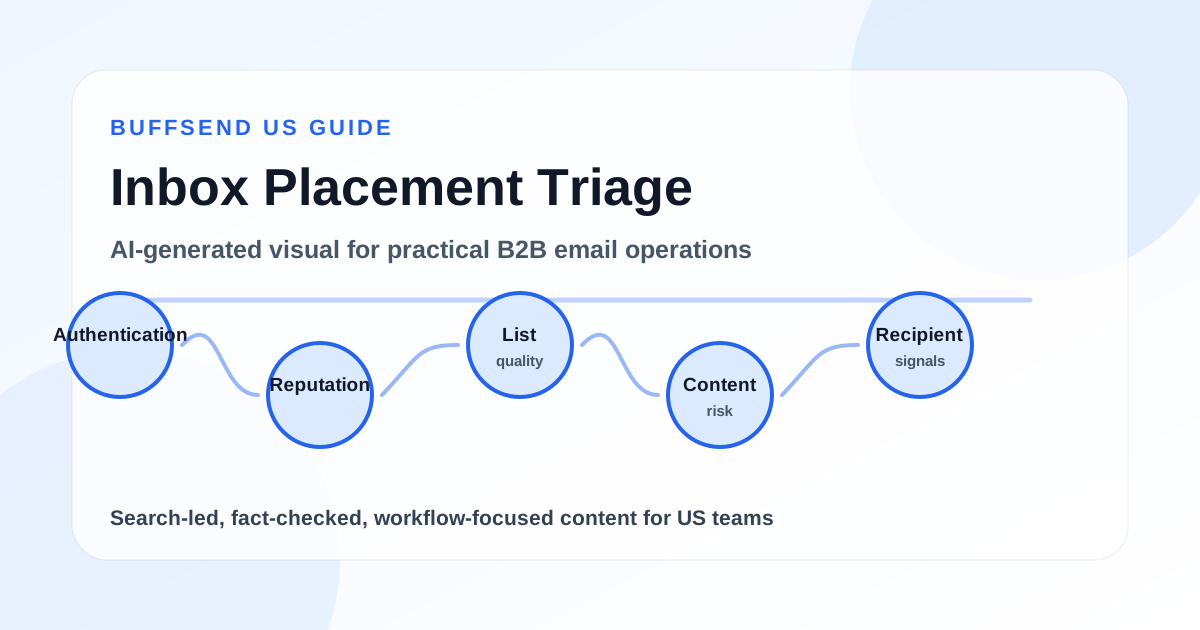
Testing whether your email will go to spam is not one single test. It is a workflow. You need to check authentication, sender reputation, list quality, message content, links, unsubscribe handling, seed inbox placement, and early campaign signals. A spam checker can catch obvious problems, but no tool can guarantee inbox placement because Gmail, Yahoo, Outlook, corporate gateways, and security filters all evaluate mail differently.
This guide explains how to test if your email will go to spam before you send a full campaign. It is written for cold outreach teams, newsletter operators, SaaS marketers, agencies, founders, and RevOps teams that need practical deliverability checks instead of vague advice like "avoid spam words." You will learn what to test, which results matter, what each warning means, and how to turn spam testing into a repeatable launch gate.
The short version: test the domain first, test the sender second, test the list third, test the message fourth, send to seed inboxes fifth, then monitor real campaign signals after launch. If authentication fails, your list is stale, the message looks misleading, or your seed tests land in spam, pause the campaign and fix the cause before scaling.

Can You Really Predict If an Email Will Go to Spam?
You can estimate spam risk, catch preventable issues, and reduce the chance of poor placement. You cannot perfectly predict every recipient's inbox. Spam filtering is dynamic. Filters use domain history, IP history, authentication, engagement, complaint patterns, recipient behavior, link reputation, message structure, user preferences, and organization-specific security rules.
That means the right question is not "Can I guarantee this email will avoid spam?" The better question is "Have I removed the issues that commonly push legitimate email into spam?" Spam testing is useful when it becomes a risk-reduction workflow, not when it is treated as a magic score.
Spam Testing vs Inbox Placement Testing
People often mix up spam testing and inbox placement testing. They overlap, but they are not the same.
Spam testing checks warning signals
A spam test looks for things that filters often dislike: broken authentication, suspicious links, misleading content, poor HTML, missing unsubscribe options, risky wording, image-heavy layouts, missing plain text, and blacklisted infrastructure. It tells you whether the email contains obvious risk.
Inbox placement testing checks where mail lands
Inbox placement testing sends the message to controlled seed inboxes across providers such as Gmail, Yahoo, Outlook, and business domains. It tells you where that specific test message landed for those seed accounts. It is useful, but it is still a sample, not a guarantee for every real recipient.
Why One Test Is Not Enough
A message can pass a content spam checker and still land in spam because the domain has weak reputation. A domain can pass SPF, DKIM, and DMARC and still land in spam because recipients ignore or complain about the mail. A seed test can land in the inbox and still perform poorly when sent to a stale list. Testing must cover the whole send chain.
Google's official email sender guidelines are a good reminder that deliverability is broader than content. Authentication, low spam rates, easy unsubscribe, and wanted mail all matter.
The Pre-Send Spam Test Workflow
The best way to test if your email will go to spam is to run a consistent workflow before every important send. Do not wait until the campaign is live to discover that authentication is broken, the list is stale, or the message looks suspicious.
Step 1: Test Domain Authentication
Start with authentication because it is a baseline requirement. If the receiving server cannot verify who sent the message, every other part of the campaign starts from a weaker position.
Check SPF
SPF tells receiving servers which services are authorized to send email for your domain. Use the BuffSend SPF Record Checker to check whether your domain has one valid SPF record, whether the right sending services are included, and whether the record is missing or duplicated.
Check DKIM
DKIM signs the message so receiving servers can verify that it was authorized and not modified in transit. If DKIM is missing, broken, or using the wrong selector, authentication can fail even when SPF is present.
Check DMARC
DMARC ties SPF and DKIM to the visible From domain and gives receivers a policy. It also helps domain owners monitor abuse. A domain with no DMARC policy can still send mail, but serious senders should publish DMARC and review results.
Step 2: Test Sender Reputation
Authentication proves identity. Reputation tells inbox providers how that identity has behaved. A perfectly authenticated sender can still land in spam if the domain or IP has poor engagement, high complaints, high bounce rates, or sudden suspicious volume.
Use provider dashboards when available
Google Postmaster Tools can show eligible senders data about spam rate, domain reputation, IP reputation, authentication, and delivery errors for Gmail traffic. Google explains these dashboards in its Postmaster Tools dashboard guide. Yahoo also publishes sender requirements and best practices through Yahoo Sender Hub.
Look for sudden sending changes
If a sender usually sends 200 emails per day and suddenly sends 20,000, filters may treat that as unusual. Spam testing should include a volume check. Ask whether the sender, domain, and audience history support the campaign size.
Step 3: Test List Quality
Many emails go to spam because the sender is mailing the wrong people or using stale data. A content checker cannot fix a bad list. Before sending, verify the list, remove invalid addresses, suppress previous hard bounces, and separate risky segments.
Verify addresses before testing content
Use a dedicated mailbox-verification provider and BuffSend's list hygiene workflow before the campaign launches. If the list contains invalid, disposable, stale, or role-based addresses, fix that before debating whether one phrase in the email is risky.
Suppress contacts that should never receive the email
Remove unsubscribes, do-not-contact records, prior hard bounces, irrelevant contacts, and suppressed domains. A verified address can still be inappropriate to contact.

Test the Email Content for Spam Risk
Once the sender and list are clean, test the actual message. Content is not the only factor, but it still matters. Spam filters and security tools inspect subject lines, headers, body copy, links, HTML structure, images, attachments, tracking patterns, and deceptive signals.
Use a Spam Word Analyzer
Spam words are not magic switches. Modern filters do not send every message with the word "free" to spam. But risky words, excessive urgency, deceptive claims, and aggressive promotional phrasing can add friction, especially when other signals are weak.
Look for patterns, not isolated words
A single promotional word is rarely the whole problem. Repeated pressure, exaggerated claims, misleading urgency, all caps, too many punctuation marks, and vague calls to action are more concerning together.
Test the Subject Line
The subject line should accurately represent the content of the message. Misleading subject lines create trust problems and can create compliance problems. The FTC's official CAN-SPAM compliance guide specifically addresses deceptive subject lines and other commercial email requirements.
Subject line checks
- Does the subject match the actual email?
- Does it avoid fake replies like "Re:" when there was no prior thread?
- Does it avoid deceptive urgency?
- Does it fit the sender relationship?
- Does it sound like a person or a generic promotion?
Test Links and Domains
Links can affect spam filtering. A message with many links, shortened links, mismatched domains, suspicious redirects, or low-reputation tracking domains can look risky. Link reputation matters because filters evaluate where a message asks recipients to go.
Link checks
- Use branded domains instead of generic shorteners.
- Make sure link text matches the destination.
- Limit the number of links in cold outreach.
- Check that landing pages load quickly and use HTTPS.
- Avoid linking to domains unrelated to the sender identity.
Test HTML and Plain Text
Broken HTML, missing plain text, image-only emails, oversized templates, and hidden text can create filtering risk. Your email should be readable with images off and should not rely on one large graphic to carry the message.
HTML checks
- Include a readable plain-text version when possible.
- Avoid image-only messages.
- Use descriptive alt text for images.
- Keep the design lightweight and mobile-readable.
- Test rendering in Gmail, Outlook, Yahoo, and mobile clients.
Test the Unsubscribe Path
If the message is commercial or bulk marketing, recipients need a clear way to opt out. For high-volume senders, Gmail and Yahoo requirements also emphasize easy unsubscribe handling. Broken or hidden unsubscribe flows can turn a deliverability issue into a compliance and complaint issue.
Unsubscribe checks
- The unsubscribe link is visible and works.
- The landing page loads without requiring login.
- The opt-out is honored promptly.
- The sender does not keep mailing suppressed contacts.
- One-click unsubscribe is configured where required.
Build Cleaner Email Tests in BuffSend

Use Seed Inbox Testing
Seed testing means sending the email to test inboxes across major providers and checking where it lands. This can include Gmail, Google Workspace, Outlook, Microsoft 365, Yahoo, iCloud, and corporate domains. Seed testing gives you real placement data for the test accounts, which is more useful than a theoretical score alone.
How to Run a Basic Seed Test
You can start with a small manual seed list if you do not have a dedicated inbox placement tool. Create or use test addresses at major inbox providers, send the exact campaign message from the same sender and platform, then check inbox, promotions, updates, spam, quarantine, and message headers.
Use the same sending setup
Do not send seed tests manually from Gmail if the real campaign will send from a sales engagement platform. The test must use the same sender domain, sending platform, tracking setup, links, signature, and content as the real campaign.
Check more than one provider
A message can land in Gmail's inbox and Yahoo's spam folder, or pass a personal Outlook test while failing at a corporate Microsoft 365 tenant. Test across the providers that matter for your audience.
What to Record From Seed Tests
| Seed Result | What It Tells You | Next Action |
|---|---|---|
| Inbox | The test message cleared that provider's primary placement for the seed account. | Proceed if other checks are healthy. |
| Promotions or Updates | The message is deliverable but categorized as marketing or automated mail. | Review content, sender type, and recipient expectations. |
| Spam | The provider saw enough risk to junk the message. | Pause and inspect authentication, reputation, links, and content. |
| Quarantine or rejection | A security filter or receiving system blocked the message. | Inspect headers, bounce messages, and domain reputation. |
Read the Email Headers
Headers show authentication results, sending infrastructure, routing path, and sometimes spam filter decisions. Look for fields such as Authentication-Results, Received-SPF, DKIM results, DMARC results, and provider-specific filtering notes.
Header checks
- SPF passes for the relevant return-path domain.
- DKIM passes with the expected signing domain.
- DMARC passes or aligns through SPF or DKIM.
- The sending IP and platform are expected.
- There are no obvious rejection or spam classification notes.
Apache SpamAssassin documents how it reports spam scoring and tests in its SpamAssassin documentation. SpamAssassin is not the same as Gmail or Yahoo filtering, but its headers and tests are useful for understanding how content and technical signals can be scored.

Spam Test Checklist Before Sending
Use this checklist before major campaigns, new sender launches, cold outreach sequences, list imports, and high-volume announcements. The point is to catch problems early enough that you can still fix them.
Domain and Authentication Checklist
- SPF exists and includes the real sending platform.
- There is only one SPF record for the domain.
- DKIM signing is enabled and passes.
- DMARC exists and aligns with SPF or DKIM.
- The From domain matches the sender identity.
- Tracking links use a trustworthy branded domain where possible.
Sender and Reputation Checklist
- The sender mailbox is not brand new for a large campaign.
- Sending volume is consistent with recent history.
- Recent bounce rates are controlled.
- Complaint rates are low.
- Engagement is not collapsing across recent sends.
- Postmaster dashboards show no obvious reputation warning where available.
List Quality Checklist
- The list was verified recently.
- Invalid and disposable addresses were removed.
- Catch-all and unknown contacts are separated.
- Prior hard bounces are suppressed.
- Unsubscribes and do-not-contact records are excluded.
- The audience is relevant to the message.
Message Content Checklist
- The subject line is accurate.
- The sender name is recognizable.
- The copy is clear and not deceptive.
- The email has a visible opt-out path where required.
- The message is not overloaded with links, images, or attachments.
- The HTML and plain text versions are readable.
Common Reasons Emails Go to Spam
If your email goes to spam during testing, do not rewrite the whole campaign immediately. Diagnose the cause. Spam placement usually comes from a cluster of issues, and the fix depends on the category of risk.
Reason 1: Authentication Fails
If SPF, DKIM, or DMARC fails, fix that before changing subject lines. Authentication failures make legitimate mail harder to trust and can create rejection or junk placement.
How to fix it
Check SPF, DKIM, and DMARC records. Confirm the sending platform is authorized. Send a test message and inspect headers. If the platform uses a custom return-path or tracking domain, configure those records correctly too.
Reason 2: The Sender Has Weak Reputation
Low reputation can come from previous bounces, complaints, low engagement, sudden volume spikes, or sending mail recipients do not want. Reputation problems usually require behavior changes, not just content edits.
How to fix it
Reduce volume, send to more engaged contacts, suppress risky records, fix complaint sources, and rebuild gradually. Do not try to force high volume through a sender that seed tests already show as risky.
Reason 3: The List Is Stale or Low Quality
Bad lists create bounces, low engagement, and complaints. If the list is the problem, no subject line rewrite will fully solve it.
How to fix it
Verify the list, remove invalids, isolate old contacts, suppress previous bounces, and analyze performance by source. If one source creates most risk, stop using it until it improves.
Reason 4: The Message Looks Misleading
Misleading subject lines, fake reply prefixes, vague claims, hidden sender identity, and bait-and-switch offers can all create spam risk and recipient distrust.
How to fix it
Make the subject line match the body. Make the sender clear. State the reason for the email quickly. Use a plain, honest call to action. Remove urgency that does not reflect reality.
Reason 5: Links or Attachments Look Risky
Shortened URLs, too many domains, suspicious redirects, untrusted file attachments, or links to unrelated sites can create filtering problems.
How to fix it
Use fewer links, branded domains, HTTPS landing pages, and clear link text. Avoid attachments in cold outreach. Put resources on a trustworthy landing page instead.

How to Fix a Spam Test Failure
A failed spam test is useful if it tells you what to fix. Do not treat every warning as equal. Authentication failures are more urgent than minor copy issues. A stale list is more dangerous than one harmless promotional word. Seed spam placement at a major provider deserves more caution than a theoretical content score.
Fix Order: Technical Before Copy
Start with the issues that affect every message from the sender. If the domain is misconfigured, every campaign is at risk. If the sender reputation is weak, a copy edit may not change placement. Fix the foundation first.
Priority 1: Authentication
Fix SPF, DKIM, DMARC, return-path, and tracking domain issues. Confirm with headers after sending another test.
Priority 2: Reputation and volume
Lower volume, use engaged contacts, pause risky segments, and monitor provider dashboards. Reputation repairs take time because they depend on future sending behavior.
Priority 3: List quality
Verify the list and suppress invalid, disposable, stale, and previously bounced contacts. Separate risky statuses from the main launch.
Priority 4: Content and links
Rewrite misleading copy, remove unnecessary links, simplify HTML, add plain text, and make the CTA clear. Then rerun seed tests.
Retest After Each Major Fix
Change one major category at a time when possible. If you fix authentication, rewrite the subject, change the link domain, and switch the sender all at once, you will not know which change improved placement.
Keep a test log
Record the sender, domain, platform, subject, test time, seed inbox results, authentication results, and changes made. Over time, this gives your team a practical deliverability knowledge base.
Create Safer Campaign Launches
Example: Testing a Cold Outreach Email Before Launch
Imagine a SaaS team preparing to send 3,000 cold outreach emails to operations leaders. The message promotes a workflow audit and links to a booking page. The team wants to know whether the email will go to spam before enrolling the full list.
Initial Test Results
- SPF passes, but DKIM is not signing from the expected domain.
- DMARC exists but fails alignment in the first header check.
- The list contains 9% catch-all contacts and 4% invalid contacts.
- The subject line uses "Quick question" but the body is a full promotional pitch.
- The email includes four links, including a generic calendar link and a tracking redirect.
- Seed tests land in Gmail promotions, Outlook inbox, and Yahoo spam.
What the Team Fixes
- They configure DKIM correctly and confirm DMARC alignment.
- They suppress invalid contacts and move catch-all contacts to a separate test segment.
- They change the subject to match the offer honestly.
- They reduce the email to one primary link on a branded HTTPS domain.
- They lower the first-day volume and start with the cleanest contacts.
Retest Result
The second seed test lands in Gmail inbox, Outlook inbox, and Yahoo inbox for the seed accounts. That still does not guarantee every recipient will see it in the inbox, but it removes several obvious failure points. The campaign is now ready for a controlled launch instead of a full-volume blast.
The lesson
The winning change was not one spam word. It was a sequence of improvements: authentication, list quality, message clarity, link trust, and sending volume.

Provider-Specific Spam Testing
Different inbox providers use different filtering systems. A campaign can perform well at one provider and poorly at another. This is why a serious spam test should not stop after checking a single Gmail account. Your audience mix should guide your testing plan. If 60% of your list uses Google Workspace, Gmail and Google Workspace placement matters most. If you sell to enterprise companies, Microsoft 365 and corporate security gateways may be the bigger risk.
Testing Gmail and Google Workspace
For Gmail-heavy audiences, focus on authentication, spam complaint rate, sender reputation, and recipient engagement. Gmail is especially sensitive to whether recipients appear to want the mail. If your email is authenticated but recipients ignore, delete, report, or never engage with your messages, content edits alone may not be enough.
Gmail test actions
- Send the exact campaign to multiple Gmail and Google Workspace seed accounts.
- Inspect
Authentication-Resultsfor SPF, DKIM, and DMARC. - Check whether the message lands in Primary, Promotions, Updates, or Spam.
- Review Google Postmaster Tools if your volume qualifies.
- Compare placement for a new sender against an established sender.
Testing Yahoo and AOL Inboxes
Yahoo's sender guidance emphasizes authentication, responsible sending, list quality, unsubscribe handling, and separation of mail streams. If Yahoo seed tests land in spam, inspect whether the campaign is authenticated, whether opt-out handling is clear, and whether the sender is mixing transactional, personal, and marketing mail in a way that creates reputation confusion.
Yahoo test actions
- Use Yahoo and AOL seed inboxes because both are relevant for Yahoo-managed delivery.
- Check that DKIM is signing correctly.
- Confirm unsubscribe links and headers are working for bulk mail.
- Review whether the message uses suspicious redirects or generic short links.
- Monitor bounce and complaint behavior separately for Yahoo-family addresses.
Testing Outlook and Microsoft 365
Outlook and Microsoft 365 placement can differ between consumer inboxes and corporate tenants. Corporate Microsoft environments may include additional security policies, attachment rules, link rewriting, quarantine controls, and tenant-level filtering. A message that reaches an Outlook consumer inbox can still be quarantined by a business recipient's organization.
Microsoft test actions
- Test both Outlook consumer inboxes and Microsoft 365 business inboxes where possible.
- Avoid attachments in cold outreach tests.
- Check if links are rewritten, blocked, or routed through security scanning.
- Watch for quarantine behavior rather than only spam-folder placement.
- Use simple HTML and a clear sender identity for first tests.
Testing Corporate Gateways
Corporate gateways can be stricter than consumer inboxes. Security tools may flag unusual links, unknown senders, attachment types, impersonation patterns, newly registered domains, suspicious urgency, or mismatches between the sender domain and linked domains. This is especially important for B2B cold outreach.
Corporate gateway test actions
- Send tests to internal company inboxes using the same security stack as your buyers when possible.
- Remove attachments and unnecessary links.
- Avoid impersonation-like display names or confusing sender identities.
- Make the company and reason for contact clear.
- Check whether the email is quarantined, bannered, delayed, or rewritten.
| Provider Type | What to Test | Common Risk |
|---|---|---|
| Gmail / Google Workspace | Authentication, reputation, engagement, category placement. | Authenticated but unwanted mail landing in spam or promotions. |
| Yahoo / AOL | DKIM, unsubscribe, list quality, sender practices. | Bulk sender requirement or reputation issues. |
| Outlook / Microsoft 365 | Corporate filtering, links, attachments, sender identity. | Quarantine or junk placement in business tenants. |
| Corporate gateways | Security banners, link scanning, impersonation signals. | Blocked links, quarantine, or phishing-style warnings. |
Controlled Launch Testing After the Spam Check
A pre-send spam test is important, but the first real recipients still provide the strongest signal. Do not jump from one seed test to full-volume sending when the campaign carries meaningful risk. Use a controlled launch so you can watch early data and stop before small issues become large ones.
Start With the Cleanest Segment
Your first batch should use the most reliable contacts. For cold outreach, that means recently verified, relevant contacts from trusted sources. For newsletters, it means recently engaged subscribers. For customer campaigns, it means active accounts with current contacts.
Why the first batch matters
Early recipients create early engagement signals. If you start with stale, risky, or low-fit contacts, you make the campaign look worse than it is. Start with people most likely to recognize the sender, understand the offer, and engage appropriately.
Monitor the First 100 to 500 Sends
The right sample size depends on your normal volume, but the principle is the same. Watch the first slice before continuing. Check bounces, replies, unsubscribes, spam complaints if available, seed inbox placement, and provider-specific delivery errors.
Pause conditions
- Hard bounces are higher than expected.
- Multiple seed inboxes move from inbox to spam after the real send starts.
- Recipients complain or reply negatively at unusual rates.
- A provider begins rejecting messages with reputation or spam errors.
- Open and reply patterns drop sharply compared with similar campaigns.
Separate Test Results by Provider
Do not average everything too quickly. If Gmail performs well but Yahoo rejects or spams the message, the total campaign average may hide the problem. Segment delivery metrics by recipient domain or provider family so you can respond precisely.
Provider-specific fixes
If only one provider is affected, slow or pause that provider segment while you diagnose. Check headers, bounce codes, authentication alignment, sender reputation, and link reputation for that provider. Keep healthy provider segments separate from risky ones.
Retest Before Scaling
If the controlled launch performs well, scale gradually. If it fails, fix the issue and rerun seed tests before sending to more recipients. A controlled launch is not a formality. It is the final spam test using real campaign conditions.
What good looks like
Good early results usually include low hard bounces, no authentication failures, no sudden provider-specific rejection pattern, no seed inbox spam shift, low complaint signals, and replies or engagement that make sense for the campaign type.
Monitor Campaign Health in BuffSend
FAQ: Testing If Email Will Go to Spam
How do I test if my email will go to spam?
Check SPF, DKIM, and DMARC, review sender reputation, verify the list, run the copy through a spam word analyzer, test links and unsubscribe handling, send to seed inboxes, inspect headers, and monitor early bounce and complaint signals.
Can a spam checker guarantee inbox placement?
No. A spam checker can flag risks, but inbox placement depends on provider-specific filters, sender reputation, recipient behavior, list quality, authentication, complaints, and engagement.
Why did my email pass SPF, DKIM, and DMARC but still go to spam?
Authentication proves identity, but it does not prove the email is wanted. The message can still go to spam because of poor reputation, low engagement, complaints, stale lists, risky links, misleading content, or provider-specific filtering.
Are spam trigger words still important?
They matter as part of a broader pattern. One word rarely decides placement, but exaggerated claims, aggressive urgency, misleading phrasing, and promotional clutter can increase risk when combined with weak sender or list signals.
Should I use seed inboxes?
Yes. Seed inboxes help you see where a test message lands across providers. They are not perfect predictions, but they are more useful than relying only on a content score.
What should I do if a seed test lands in spam?
Pause the campaign, inspect headers, check authentication, review sender reputation, verify list quality, simplify links and content, then retest before scaling.
Does sending to a verified list prevent spam placement?
No, but it reduces bounce and bad-recipient risk. Verification should be paired with authentication, reputation monitoring, compliant sending, relevant content, and careful volume control.
How often should I test spam risk?
Test before every major campaign, before using a new sender, after changing sending platforms, after changing authentication records, before mailing stale lists, and whenever deliverability drops.
Final Recommendation
To test if your email will go to spam, do not rely on one score. Run a full pre-send workflow. Check authentication, reputation, list quality, content, links, unsubscribe handling, seed inbox placement, and headers. Then launch slowly enough that early bounce, complaint, and reply signals can guide your next move.
The best spam test is practical. It tells you whether the campaign is ready, which risks need fixing, and whether you should send to the full audience or slow down. If the test exposes broken authentication, a stale list, misleading content, or spam placement in seed inboxes, treat that as useful information. Fix it before the real recipients become the test.
Spam testing is not about tricking filters. It is about sending clear, authenticated, wanted, well-targeted email from a sender with a reputation worth protecting.